

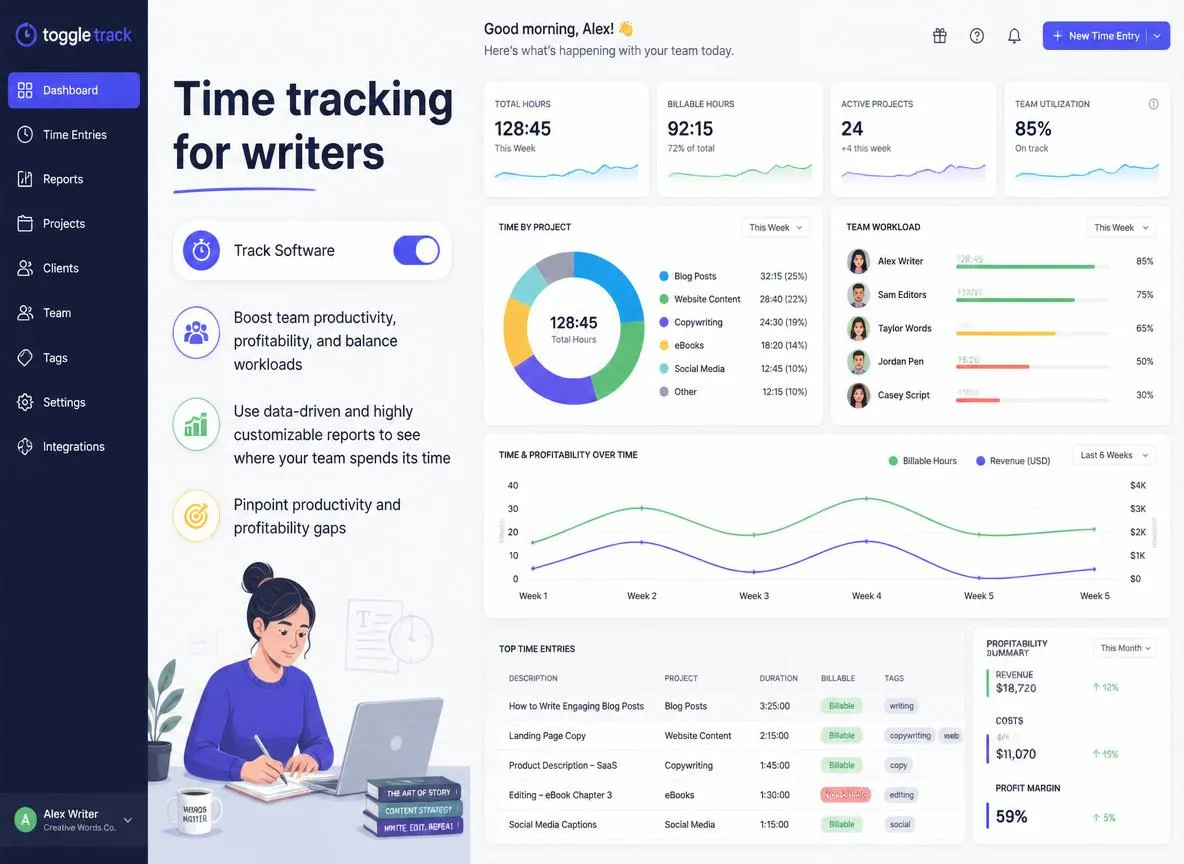
Toggl Track: Know Exactly Where Your Writing Time Goes
Toggl Track: Know Exactly Where Your Writing Time Goes
You're busy. You feel busy. The days fill up, the to-do list never empties, and yet somehow your word count for the week is lower than you'd like. Where did the time actually go?
This is one of the most common frustrations in the author community — the sense of constant busyness with productivity that doesn't match the effort invested. And it turns out, most of us are genuinely bad at estimating where our time goes. We think we're spending four hours on writing when we're actually spending ninety minutes writing and two and a half hours on email, social media, and miscellaneous tasks that feel productive but aren't moving the manuscript forward.
Toggl Track won't write your books for you, but it will show you the truth — and knowing the truth is the first step to changing it.
What Is Toggl Track?
Toggl Track is a time tracking app that lets you record how long you spend on different activities, organised by project and category. You press start when you begin a task, press stop when you're done, and Toggl Track builds a clear picture of where your hours are actually going — across a day, a week, or a month.
It's used by freelancers, consultants, and small businesses around the world. For authors, it translates almost perfectly into a tool for understanding and taking control of your writing time.
Who Is It For?
Toggl Track is useful for any author who:
- Suspects their time isn't going where they think it is — a common realisation that's often uncomfortable but always useful
- Wants to make intentional choices about their working hours rather than reacting to whatever demands feel most urgent
- Is trying to establish a consistent writing practice and wants accountability data to support that habit
- Runs a multi-faceted author business with writing, marketing, admin, and social media all competing for the same finite hours
If you write for an hour and stop, and that's your whole author business, time tracking might be more structure than you need. But for authors treating this as a career — juggling multiple projects and business responsibilities — understanding your time allocation is genuinely transformative.
Key Features
One-Click Timer
The core of Toggl Track is beautifully simple: a start/stop button. You click start when you begin a task, name it if you want, assign it to a project, and click stop when you're done. That's it. The tracking happens in the background and you get on with working.
The simplicity is deliberate. Any time tracking system that requires significant effort to maintain gets abandoned within a week. Toggl Track's single-click approach makes it easy enough to actually use consistently — which is the only way it delivers value.
Projects and Tags
Organise your tracked time into projects and tags that make sense for your author life. Suggested categories for authors:
- Writing — actual manuscript time, tracked by project (Novel A, Blog Post, Short Story)
- Editing — revision and self-editing sessions
- Marketing — newsletter drafting, social media content creation, ad management
- Admin — email, invoicing, platform management, file organisation
- Social Media — time spent on platforms (separate from creating content)
- Learning — courses, books, podcasts, community time
Once you've tracked for two weeks with these categories, the weekly report will likely surprise you. Most authors find the balance of writing vs everything else is not what they imagined.
Weekly Reports
Toggl Track generates a visual weekly report showing your time allocation by project and category. This is the feature that makes tracking worthwhile: the bar chart showing that you spent six hours on social media and only three on actual writing in a week where you felt productive is the kind of clarity that changes behaviour.
The report is honest in a way that personal memory simply isn't. We're all prone to remembering the focused writing session and forgetting the hour spent in Facebook groups "doing author research."
Pomodoro Timer
Toggl Track includes a built-in Pomodoro timer — 25 minutes of focused work followed by a 5-minute break, with a longer break every four cycles. For writers who struggle with sustained focus or who find themselves going down research rabbit holes, the Pomodoro method can be a helpful structure. Toggl's integration means your Pomodoro sessions are automatically tracked.
Browser Extension
The browser extension makes starting a timer even faster — you can start tracking directly from your browser toolbar without switching to the Toggl Track app. For authors who work primarily in a browser (Google Docs, Dabble, web-based email), this is a convenient addition.
What We Love
The one-button simplicity means you'll actually use it. Every time tracking system that requires more than this gets abandoned. Toggl Track's elegant simplicity is its greatest feature.
The weekly reports are genuinely eye-opening. Seeing a visual breakdown of where your time actually went — not where you thought it went — is one of those moments of useful self-knowledge that tends to stick. Most people who track their time for two weeks come away with clear, actionable insights about what to change.
The free tier covers everything most authors need. Unlimited time tracking, unlimited projects, and basic reporting at no cost. The paid tier adds team features and deeper reporting, but solo authors will likely never need them.
What Could Be Better
You have to remember to start the timer. This sounds trivial, but it's the most common reason time tracking habits fail. Building the habit of clicking start before you begin and stop when you finish takes a few weeks to become automatic. The workaround: set a reminder in your calendar for your usual writing time, or put a sticky note near your keyboard as a visual prompt.
The free plan's reporting is basic. You get your weekly hours broken down by project, but deeper analysis — custom date ranges, billable rate summaries, team comparisons — requires a paid plan. For most solo author purposes, basic reporting is entirely sufficient.
Billable rate features aren't particularly relevant for most authors. A significant portion of Toggl Track's feature set is designed for freelancers tracking billable client hours. These features simply won't apply to most authors, and can make the interface feel slightly misaligned with your needs.
Pricing
- Free — Unlimited time tracking, unlimited projects and tags, basic reporting, Pomodoro timer; all most authors will ever need
- Starter — Around $13 AUD per user per month; billable rates, time rounding, more detailed reports
For the vast majority of indie authors, the free plan is entirely sufficient.
The Verdict
Toggl Track's free tier is all most authors need, and what it reveals about your actual time allocation is worth more than any productivity tip you'll find online. Once you see where your time actually goes, you can make intentional decisions about where it goes next.
Our recommendation: Download Toggl Track and track your time for two weeks without changing anything. Just observe. At the end of the fortnight, look at your weekly reports and see what surprises you. Then use what you've learned to make one change — just one — about how you allocate your author time.
Have you ever tracked your writing time? Were the results what you expected? We'd love to hear what you discovered — share in the comments below!


