
Book Brush: Marketing Graphics Designed Specifically for Authors
Book Brush: Marketing Graphics Designed Specifically for Authors
You've designed your Facebook ad creative in Canva. You've got beautiful fonts, a nice background, attractive text. And then you try to add your book cover — and it just sits there, flat, looking like you pasted it onto the image. Which is, of course, exactly what you did.
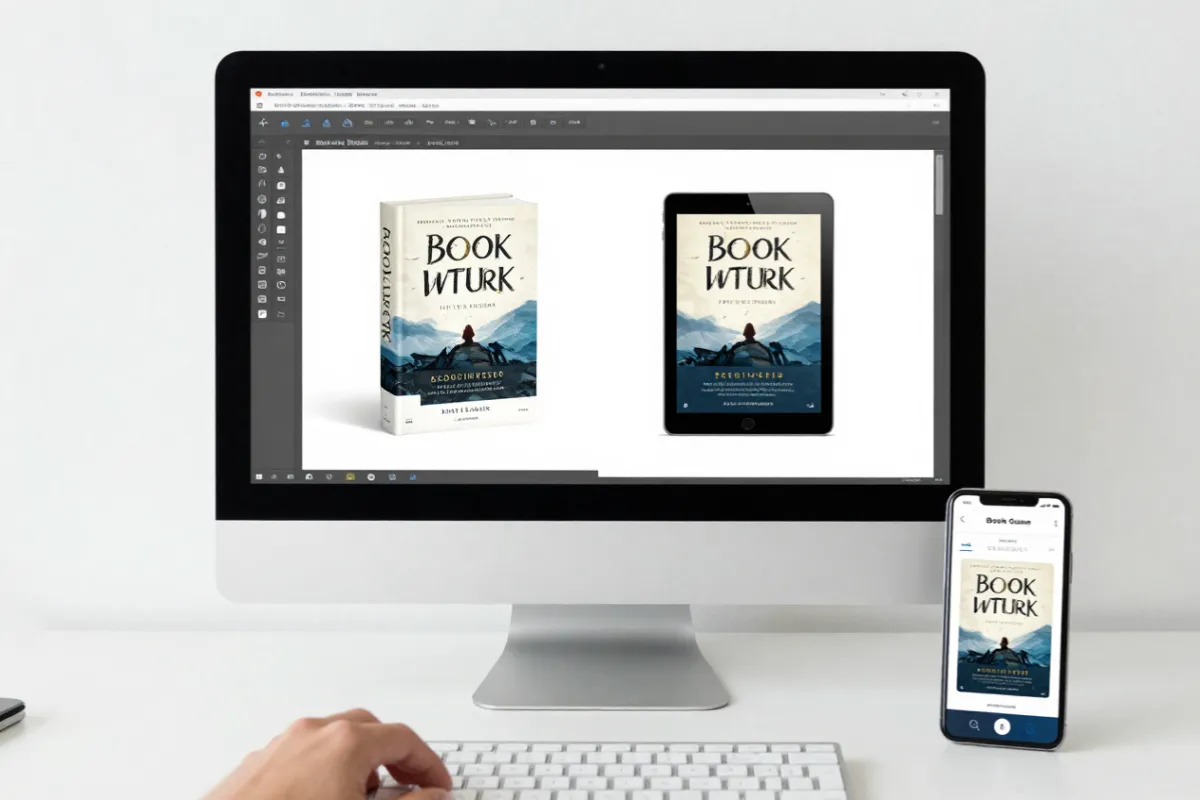
What you really want is that polished 3D mockup — your book standing upright, with just the right angle and shadow, looking like a product photograph from a professional shoot. In Photoshop, creating that effect takes considerable skill and time. With Book Brush, it takes about thirty seconds.
What Is Book Brush?
Book Brush is a graphic design platform built specifically for book marketing. While tools like Canva are general-purpose (and excellent for many things — we reviewed Canva recently), Book Brush focuses exclusively on the kinds of graphics authors need: 3D book mockups, social media templates sized for book promotions, ad creative for BookBub, Facebook, and Amazon, and instant visual assets for launches and promos.
The specificity is the point. Book Brush wasn't adapted from a general design tool — it was built from the ground up by people who understand what book marketing graphics look like and what authors need to create them.
Who Is It For?
Book Brush is most useful for:
- Authors running ads on Facebook, BookBub, or Amazon who need professional-looking ad creative without Photoshop skills
- Writers launching new books who need 3D mockups for social media, newsletters, and promotional materials
- Indie authors creating regular marketing content who need a faster, more book-specific alternative to building everything from scratch in Canva
- Anyone who needs a 3D book mockup and doesn't want to pay a designer every time they need one
Key Features
3D Book Mockups
This is what Book Brush does best — and it does it very well. You upload your book cover image and choose from a library of 3D mockup templates: your book standing upright, angled slightly, in a stack, in someone's hands, on a desk, beside a coffee cup. The mockup is generated in seconds, with realistic shadows and depth that make your cover look like a physical object in a real environment.
For paperback authors especially, these mockups are invaluable for social media and ads. A flat cover image says "this is a digital file." A 3D mockup says "this is a book you can hold."
Social Media Templates
Book Brush provides pre-sized templates for every major social media platform, pre-designed specifically for book marketing. These aren't generic lifestyle templates with awkward placeholder text — they're built around the actual structure of book promotional posts: cover reveal announcements, release day graphics, sale alerts, review quote cards, series announcement graphics.
Because they're specifically designed for book marketing, you're starting from a template that already understands what you're trying to communicate, rather than adapting a general-purpose layout.
Ad Creator
Book Brush includes a dedicated ad creator with templates sized for BookBub featured deals, Facebook carousel ads, Amazon advertising, and other platforms where indie authors spend their marketing budgets. These templates are formatted to the exact specifications of each ad type — no guessing about dimensions, safe zones, or text limits.
Custom Backgrounds
If you want a specific scene or atmosphere for your mockup or promotional graphic — a cosy autumn setting for a cosy mystery, a dark and atmospheric scene for a thriller — Book Brush's background library gives you options to browse and apply. You can also upload your own custom backgrounds if you have a specific image in mind.
Instant Mockup Generator
For quick, simple mockups, Book Brush's instant generator lets you drop in your cover image and get a usable mockup in seconds — no template selection required. This is the feature to reach for when you need something fast and don't want to spend time on design decisions.
What We Love
The 3D mockups are the best available in a browser-based tool. The quality is genuinely impressive — realistic, polished, and fast to generate. Authors who previously paid for individual mockup commissions from designers will find this pays for itself quickly.
Everything is designed specifically for book marketing. You're not adapting general templates; you're working with layouts that understand the visual language of book promotion. This makes the whole experience faster and the results more immediately usable.
The instant mockup tool is a genuine time-saver for those moments when you need a graphic quickly and don't have bandwidth for thoughtful design decisions. Generate, download, post. Done.
What Could Be Better
The overall editor is less polished than Canva. The interface feels slightly dated compared to Canva's clean, modern design environment. It's functional, but the experience isn't quite as smooth or intuitive. If you're used to Canva's editor, Book Brush's will feel slightly clunkier.
Some templates feel dated. The template library is large, but design trends move quickly and some options look like they were created a few years ago. Filtering for more recent additions is worth doing.
Pricing tiers can be confusing. What's included at each tier isn't immediately obvious from the marketing, and it takes some careful reading to understand what you get where.
Pricing
- Free — Limited mockups per month; a good way to test the tool
- Author Plan — Around $15 AUD per month; unlimited mockups, full social media template library, ad creator
- Pro Plan — Around $25 AUD per month; additional features including custom backgrounds library and more design options
Annual billing provides savings on both plans.
The Verdict
Use Book Brush for book mockups and book-specific ad graphics. Use Canva for everything else — newsletters, general social media posts, branding assets. These two tools are not competitors; they're genuinely complementary, and most authors who use both find that they cover different needs almost perfectly.
Our recommendation: If you run ads or regularly need professional book mockups, the Author Plan is excellent value. Start with the free plan to confirm the mockup quality meets your expectations, then upgrade.
Have you tried Book Brush's 3D mockup tool? We'd love to see your results — share a link to your favourite mockup in the comments!


